
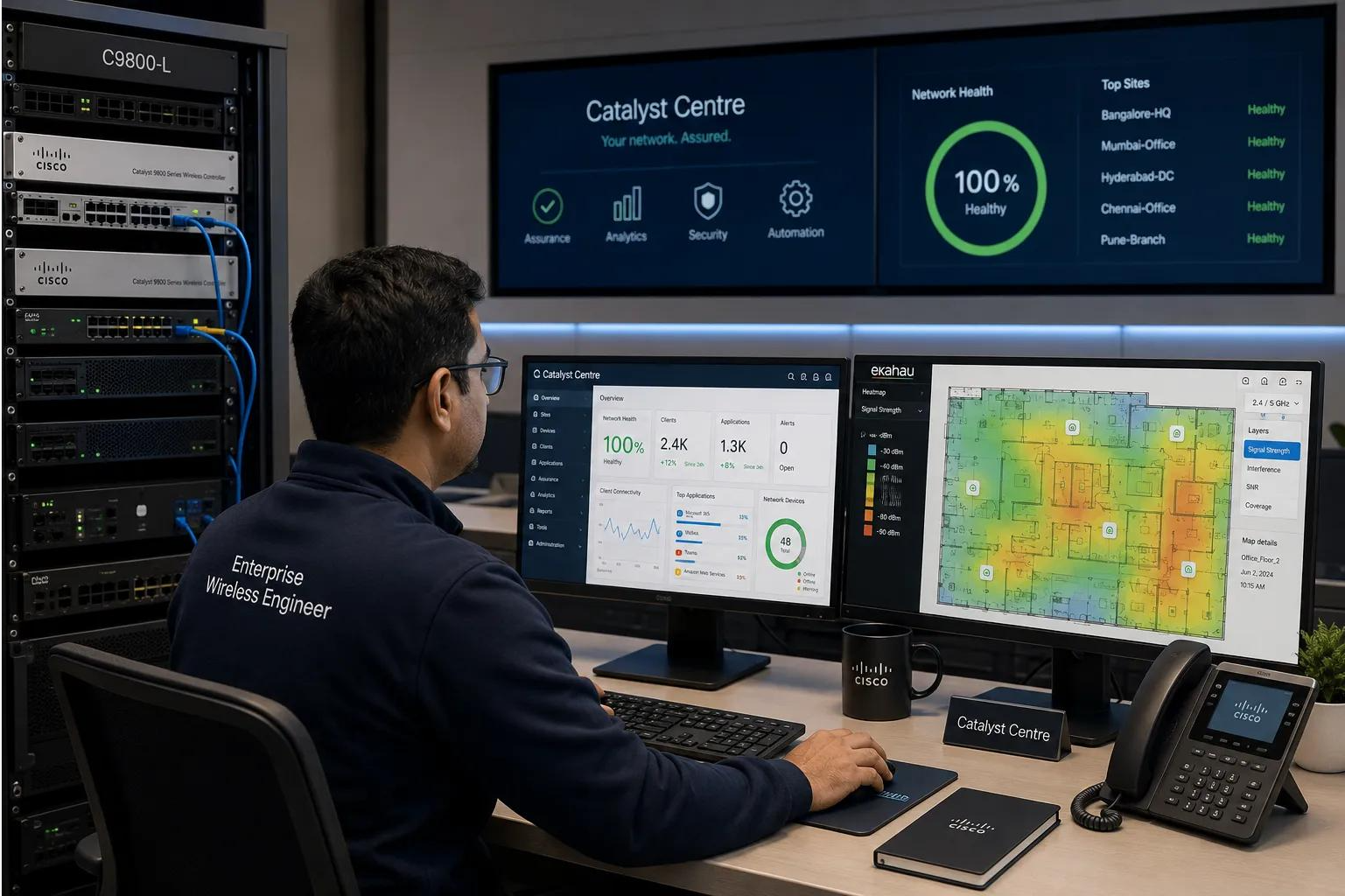
Innovative solutions for security
Explore enterprise Wi-Fi 6 and Wi-Fi 7 deployment best practices, including RF site surveys, 2.4 GHz, 5 GHz and 6 GHz spectrum planning, access point placement, wireless controllers, WPA3 security, 802.1X authentication, VLAN segmentation, seamless roamin
Enterprise Wi-Fi 6 and Wi-Fi 7 Deployment Considerations
Building Secure, High-Performance, and Future-Ready Enterprise Wireless Networks
Enterprise wireless networks have become essential infrastructure for business operations, digital collaboration, cloud applications, smart buildings, industrial environments, and mobile workforces.
With increasing demand for high-density connectivity, video conferencing, real-time applications, IoT integration, and seamless mobility, organizations must carefully evaluate their wireless network architecture.
Wi-Fi 6 (802.11ax), Wi-Fi 6E, and Wi-Fi 7 (802.11be) introduce significant advancements in wireless capacity, spectrum utilization, efficiency, and connectivity performance.
However, successful enterprise wireless deployment requires more than upgrading access points. Organizations must consider RF planning, client compatibility, access switching, controller architecture, authentication, network segmentation, and operational resilience.
At Pruthvija Technologies, we emphasize structured wireless architecture, secure network integration, reliable connectivity, and performance validation.
This article explores the essential design and deployment considerations for modern enterprise Wi-Fi networks.
1. Understanding Wi-Fi 6, Wi-Fi 6E, and Wi-Fi 7
Wi-Fi 6 — IEEE 802.11ax
Wi-Fi 6 improves wireless efficiency and capacity, particularly in environments with many connected devices.
Key capabilities include:
-
Orthogonal Frequency-Division Multiple Access (OFDMA)
-
Multi-User Multiple Input Multiple Output (MU-MIMO)
-
1024-QAM modulation
-
Target Wake Time (TWT)
-
Improved airtime efficiency
-
Better performance in dense client environments
Wi-Fi 6 is suitable for enterprise offices, educational campuses, healthcare facilities, and other environments requiring reliable multi-device connectivity.
Wi-Fi 6E — Extending Wi-Fi 6 to 6 GHz
Wi-Fi 6E extends 802.11ax operation into the 6 GHz frequency band.
Potential benefits include:
-
Additional wireless spectrum
-
More channel planning flexibility
-
Reduced interference from legacy Wi-Fi devices
-
Support for wider channels
-
Improved performance in compatible environments
Availability of the 6 GHz spectrum depends on country-specific regulatory requirements.
Wi-Fi 7 — IEEE 802.11be
Wi-Fi 7 introduces advanced capabilities designed to increase throughput, efficiency, and connection flexibility.
Important features include:
-
320 MHz channel widths where supported
-
4096-QAM modulation
-
Multi-Link Operation (MLO)
-
Enhanced OFDMA capabilities
-
Multi-Resource Unit allocation
-
Preamble puncturing
-
Improved performance potential for demanding applications
These capabilities depend on access point hardware, client devices, software support, RF conditions, and regulatory restrictions.
2. Conduct a Comprehensive Wireless Site Survey
An enterprise WLAN design should begin with an assessment of the physical environment.
A wireless site survey helps determine coverage, capacity, interference, and access point placement requirements.
Types of Wireless Surveys
Predictive Survey
Uses floor plans and RF modeling software to estimate access point placement and wireless coverage.
Passive Survey
Measures existing RF conditions, including signal levels, channel utilization, and interference.
Active Survey
Validates client connectivity, throughput, roaming, and network performance.
Post-Deployment Validation Survey
Confirms that the installed wireless network meets the approved design requirements.
Important Survey Parameters
-
Received Signal Strength Indicator (RSSI)
-
Signal-to-Noise Ratio (SNR)
-
Channel utilization
-
Co-channel interference
-
Adjacent-channel interference
-
Client density
-
Application bandwidth requirements
-
Building materials and attenuation
-
Access point mounting height
-
Roaming requirements
Best practice: Conduct both predictive planning and post-installation validation, especially when introducing 6 GHz coverage.
3. Plan 2.4 GHz, 5 GHz, and 6 GHz Spectrum Carefully
Enterprise wireless networks commonly use multiple frequency bands.
2.4 GHz
Advantages:
-
Broad device compatibility
-
Better propagation through some building materials
-
Useful for legacy and certain IoT devices
Limitations:
-
Limited non-overlapping channels
-
Greater interference exposure
-
Lower available capacity
5 GHz
Advantages:
-
Greater channel availability than 2.4 GHz
-
Suitable for most enterprise client devices
-
Good balance between capacity and coverage
Limitations:
-
Channel availability varies by region
-
DFS restrictions may apply
-
Wider channels reduce channel reuse opportunities
6 GHz
Advantages:
-
Additional spectrum where permitted
-
Reduced competition from legacy Wi-Fi devices
-
Support for wider channels
-
Useful for high-performance client environments
Limitations:
-
Requires compatible devices
-
Subject to regulatory restrictions
-
Typically experiences somewhat greater propagation loss than 5 GHz
-
May require revised access point placement and RF planning
Best practice: Prioritize spectrum reuse, coverage consistency, and client requirements rather than selecting the widest available channel everywhere.
4. Optimize Access Point Placement and Capacity
Access point placement affects wireless performance, roaming, and client experience.
Important considerations include:
-
Building layout
-
Number of users
-
Client device capabilities
-
Application requirements
-
Ceiling height
-
Antenna characteristics
-
RF attenuation
-
Channel reuse
-
High-density areas
Typical deployment environments include:
-
Corporate offices
-
Conference rooms
-
Educational institutions
-
Hospitals
-
Warehouses
-
Manufacturing facilities
-
Retail environments
-
Large public spaces
High-density locations may require more access points operating at lower transmit power rather than fewer access points at maximum power.
Best practice: Design for both coverage and capacity. Strong signal alone does not guarantee acceptable application performance.
5. Evaluate Multigigabit Switching and PoE Requirements
Wi-Fi 6E and Wi-Fi 7 access points may require more wired bandwidth and power than earlier-generation devices.
Multigigabit Ethernet
Depending on the access point model and expected traffic, appropriate uplink speeds may include:
-
1 Gbps
-
2.5 Gbps
-
5 Gbps
-
10 Gbps
Not every access point requires a 10 Gbps uplink. The decision should be based on the hardware specifications and expected aggregate traffic.
Power over Ethernet
Common PoE standards include:
-
IEEE 802.3af
-
IEEE 802.3at
-
IEEE 802.3bt
Some high-performance access points require 802.3bt power for full functionality.
Operating with a lower power budget may disable radios or features, depending on the model.
Switching Infrastructure Considerations
-
Total PoE power budget
-
Multigigabit port availability
-
Uplink bandwidth
-
Switch stack capacity
-
VLAN and trunk configuration
-
Cabling quality
-
Redundant uplinks
-
Monitoring and power management
Best practice: Verify each access point's full-power requirements and supported Ethernet speeds before finalizing the access switch bill of materials.
6. Design Wireless Controller Architecture and High Availability
Enterprise wireless deployments commonly use centralized, cloud-managed, or distributed control architectures.
Centralized Wireless Controllers
Wireless LAN Controllers can provide:
-
Access point management
-
SSID configuration
-
Security policy integration
-
RF management
-
Mobility services
-
Monitoring and troubleshooting
Cloud-Managed Wireless
Cloud-managed platforms may simplify provisioning, monitoring, and multi-site management.
However, management-plane availability, licensing, supported local operation, and internet dependencies must be assessed.
High-Availability Considerations
-
Controller redundancy
-
HA-SSO where supported
-
Access point failover
-
Management connectivity
-
DHCP and DNS availability
-
Authentication server redundancy
-
Network uplink resilience
-
Client session continuity
Best practice: Test controller failover and recovery with representative clients and applications. A successful controller role change does not necessarily guarantee uninterrupted service.
7. Integrate Wireless with Enterprise LAN and VLAN Architecture
Wireless networks must integrate correctly with the wired switching and routing infrastructure.
Typical enterprise wireless segments include:
| Wireless Segment | Purpose |
|---|---|
| Corporate SSID | Employee connectivity |
| Guest SSID | Restricted guest internet access |
| Voice SSID | Wireless voice devices |
| IoT SSID | Smart and embedded devices |
| Operations SSID | Business or industrial handheld devices |
| Management VLAN | Access point and controller administration |
Important Design Elements
-
Access point management VLANs
-
SSID-to-VLAN mapping
-
Trunk and access port configuration
-
DHCP relay
-
DNS reachability
-
Default gateway placement
-
Firewall policies
-
Wireless client isolation
-
Central or local traffic switching
Common Configuration Issue
An access point connected to a switchport configured in access mode may not receive the expected tagged VLANs if the deployment requires a trunk.
For example, a design might require an AP management native VLAN and separate tagged service VLANs.
The correct switchport configuration depends on the AP platform and whether user traffic is centrally tunneled or locally switched.
Best practice: Validate the complete path from access point to controller, VLAN gateway, DHCP server, firewall, and application destination.
8. Implement WPA3 and Enterprise Authentication
Wireless security should be incorporated into the initial architecture.
Recommended Security Controls
-
WPA3-Enterprise where supported
-
IEEE 802.1X authentication
-
RADIUS integration
-
Certificate-based EAP-TLS authentication
-
Protected Management Frames
-
Network Access Control
-
Identity-based segmentation
-
Guest isolation
-
Rogue access point detection
-
Centralized security logging
Wi-Fi 6E and Wi-Fi 7 Security
For 6 GHz operation, WPA3 or Enhanced Open (OWE), as appropriate to the WLAN type, is required.
Legacy WPA2-only security configurations cannot simply be extended into 6 GHz.
Wi-Fi 7 features such as MLO and 802.11be data rates have additional security prerequisites.
Legacy Client Considerations
Some older devices may not support WPA3 or required management-frame protection.
A migration strategy may require separate WLAN profiles or SSIDs for incompatible devices.
Best practice: Validate authentication compatibility with real enterprise endpoints before changing production WLAN security policies.
9. Optimize Wireless Roaming
Seamless mobility is important for applications such as:
-
Voice over Wi-Fi
-
Video conferencing
-
Warehouse handheld terminals
-
Mobile healthcare devices
-
Industrial terminals
-
Real-time enterprise applications
Common Roaming Technologies
802.11k: Helps clients discover neighboring access points.
802.11v: Supports network-assisted client steering and transition recommendations.
802.11r: Supports fast BSS transitions on compatible clients and WLAN configurations.
These capabilities can improve mobility behavior, but roaming decisions remain substantially client-dependent.
Best Practice
Validate roaming using the actual client devices and applications.
Measure:
-
Roaming interruption
-
Packet loss
-
Application reconnection
-
Authentication behavior
-
Signal overlap
-
Controller mobility events
Avoid assuming that enabling 802.11r automatically resolves every roaming issue.
10. Plan Wi-Fi 7 Multi-Link Operation
Multi-Link Operation is one of the most significant Wi-Fi 7 enhancements.
MLO allows compatible devices to establish a multi-link association using supported radio links.
Depending on the device and implementation, this can improve throughput, latency behavior, or resilience.
Deployment Considerations
-
Wi-Fi 7 client compatibility
-
AP hardware capabilities
-
Software support
-
Radio configuration
-
Security requirements
-
Available spectrum
-
RF interference
-
Client driver maturity
-
Controller compatibility
MLO should be evaluated using supported client and access point combinations.
Best practice: Pilot Wi-Fi 7 features before enabling them across a large production campus.
11. Wireless Network Segmentation and Zero Trust
Enterprise WLANs should not place all users and devices into the same unrestricted network.
Recommended approaches include:
-
Corporate and guest separation
-
IoT and operational device isolation
-
Identity-based access policies
-
Role-based VLAN assignment
-
Firewall segmentation
-
Access control lists
-
Network access control integration
-
Restricted management access
For example, a guest WLAN may be permitted to access the internet but prohibited from reaching internal corporate networks.
An IoT segment may be restricted to designated application servers.
Best practice: Apply least-privilege network access based on device identity, user role, and application requirements.
12. Design for High-Density Wireless Environments
High-density environments introduce challenges beyond simple coverage.
Examples include:
-
Auditoriums
-
Large classrooms
-
Conference facilities
-
Shopping centers
-
Stadiums
-
Busy enterprise offices
Important considerations include:
-
Airtime utilization
-
Channel reuse
-
AP radio capacity
-
Client distribution
-
Multicast and broadcast traffic
-
Application bandwidth
-
Minimum data rates
-
Band steering where appropriate
-
RF interference
Best practice: Avoid using theoretical maximum PHY data rates as guaranteed user throughput.
Actual throughput depends on signal quality, airtime sharing, protocol overhead, client capabilities, and traffic conditions.
13. Network Monitoring and Wireless Assurance
Continuous monitoring helps identify performance degradation and operational issues.
Important monitoring parameters include:
-
AP online/offline status
-
Client association failures
-
Authentication failures
-
DHCP failures
-
Channel utilization
-
RF interference
-
Client RSSI and SNR
-
Roaming failures
-
Controller health
-
PoE status
-
Uplink errors
-
Application performance
Enterprise monitoring may integrate WLAN controllers, cloud management platforms, network monitoring systems, and security analytics.
Best practice: Establish baseline performance metrics before production acceptance.
14. Recommended Enterprise Wi-Fi Deployment Methodology
Phase 1 — Assessment
Review existing WLAN infrastructure, user density, building layouts, applications, and device requirements.
Phase 2 — RF Design
Conduct predictive surveys, capacity planning, spectrum analysis, and access point placement design.
Phase 3 — Network Architecture
Define controller architecture, SSIDs, VLANs, authentication, switching, routing, and firewall integration.
Phase 4 — Infrastructure Readiness
Verify PoE budgets, multigigabit switching, cabling, uplinks, controller compatibility, and software versions.
Phase 5 — Deployment
Install access points, configure WLAN controllers, integrate authentication services, and implement security policies.
Phase 6 — Testing and Validation
Validate coverage, capacity, roaming, authentication, DHCP, DNS, application access, and failover.
Phase 7 — Documentation and Handover
Prepare HLD, LLD, RF survey reports, AP location maps, VLAN plans, configuration records, and SAT reports.
15. How Pruthvija Technologies Can Help
At Pruthvija Technologies, our Enterprise Wireless Deployment & Optimization Services focus on reliable connectivity, secure integration, and infrastructure scalability.
Our service capabilities include:
-
Enterprise WLAN assessment and consulting
-
Wi-Fi 6, Wi-Fi 6E, and Wi-Fi 7 architecture planning
-
RF site surveys and wireless coverage design
-
Access point deployment and optimization
-
Wireless LAN controller implementation
-
Controller high availability and failover
-
Corporate, guest, and IoT wireless segmentation
-
802.1X and RADIUS integration
-
Wired and wireless network integration
-
VLAN, DHCP, DNS, and routing validation
-
Wireless roaming and performance optimization
-
Multi-vendor WLAN integration
-
Wireless monitoring and troubleshooting
-
FAT, SAT, HLD, LLD, and technical handover
Our objective is to help organizations deploy wireless infrastructure that supports current applications while preparing for future mobility and connectivity requirements.
Conclusion
Wi-Fi 6, Wi-Fi 6E, and Wi-Fi 7 provide important improvements in enterprise wireless efficiency, capacity, and performance.
However, successful wireless modernization requires more than purchasing newer access points.
Organizations must evaluate RF conditions, client compatibility, switching infrastructure, PoE, controller resilience, security, segmentation, roaming, and application performance.
A well-designed enterprise wireless network should provide reliable connectivity, appropriate security, predictable user experience, and manageable long-term operations.
Pruthvija Technologies — Connecting Enterprises. Empowering Mobility. Enabling Digital Transformation.
Ready to Modernize Your Enterprise Wireless Network?
Contact Pruthvija Technologies to discuss Wi-Fi 6 and Wi-Fi 7 architecture, wireless site surveys, controller deployment, network integration, and enterprise WLAN optimization.